v1.0.9 New: record-pool tag cleanup on import — pool filenames in the title, and pool names in album and comment, are fixed automatically
Your Serato library,
finally under control
Missing tracks, duplicate files, half-empty tags, music scattered across five drives. EZLibrary fixes all of it on your Mac — and updates Serato so your cues, beat grids and crates come along for the ride.
Serato is great at playing music. It's terrible at housekeeping.
Every DJ library rots the same way. EZLibrary is the cleanup crew.
Tracks that vanish
You move one folder and Serato loses hundreds of files. EZLibrary finds where they actually went and repairs the library in place, so cues, loops and play counts survive the fix.
The same song, five times
Pool rips, re-downloads and mislabelled edits pile up. Duplicate detection compares the actual audio, not just the filename, and keeps the best copy of each — while leaving genuine Intro / Clean / Extended versions alone.
Metadata you can't search
Missing genres, blank years, "Track 03" titles. Fill thousands of fields at once from online sources or from what you already know, and see exactly how complete each field is across your library.
One window, every cleanup job
Twelve workspaces that all read and write the same Serato library, safely.
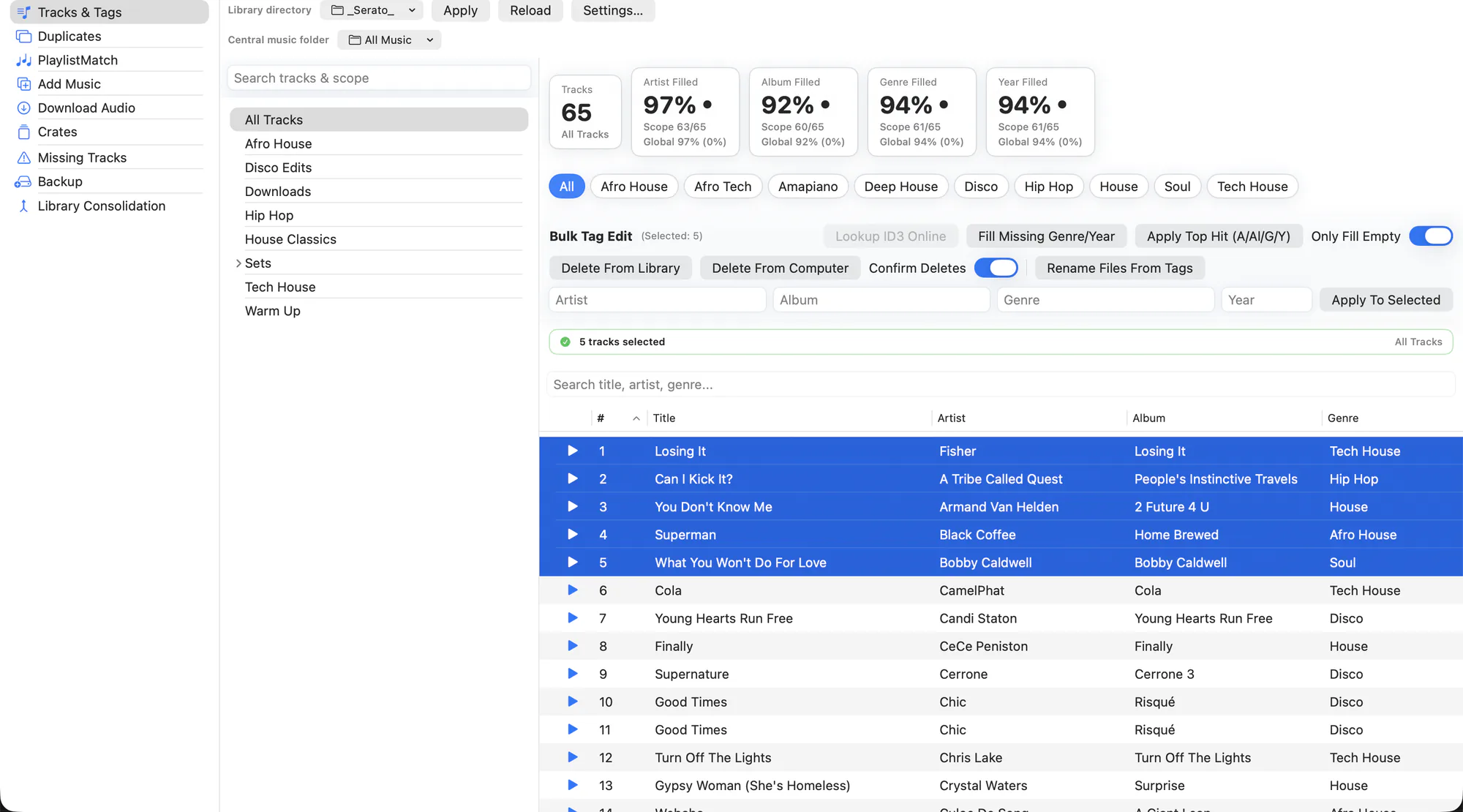
Browse everything, filter by what's missing, and bulk-fill artist, album, genre and year.
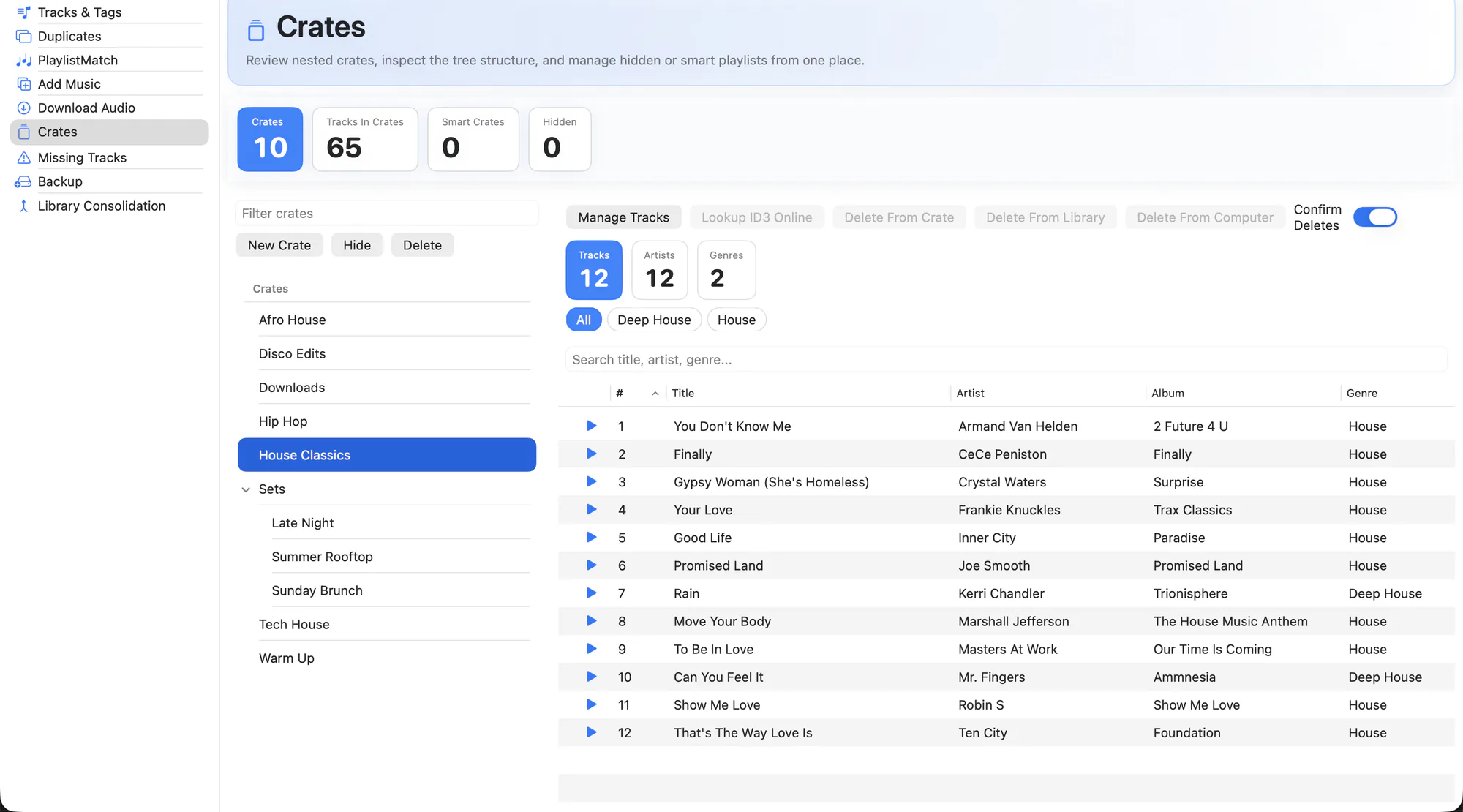
Your full crate tree, including smart crates and hidden crates, with per-crate stats.
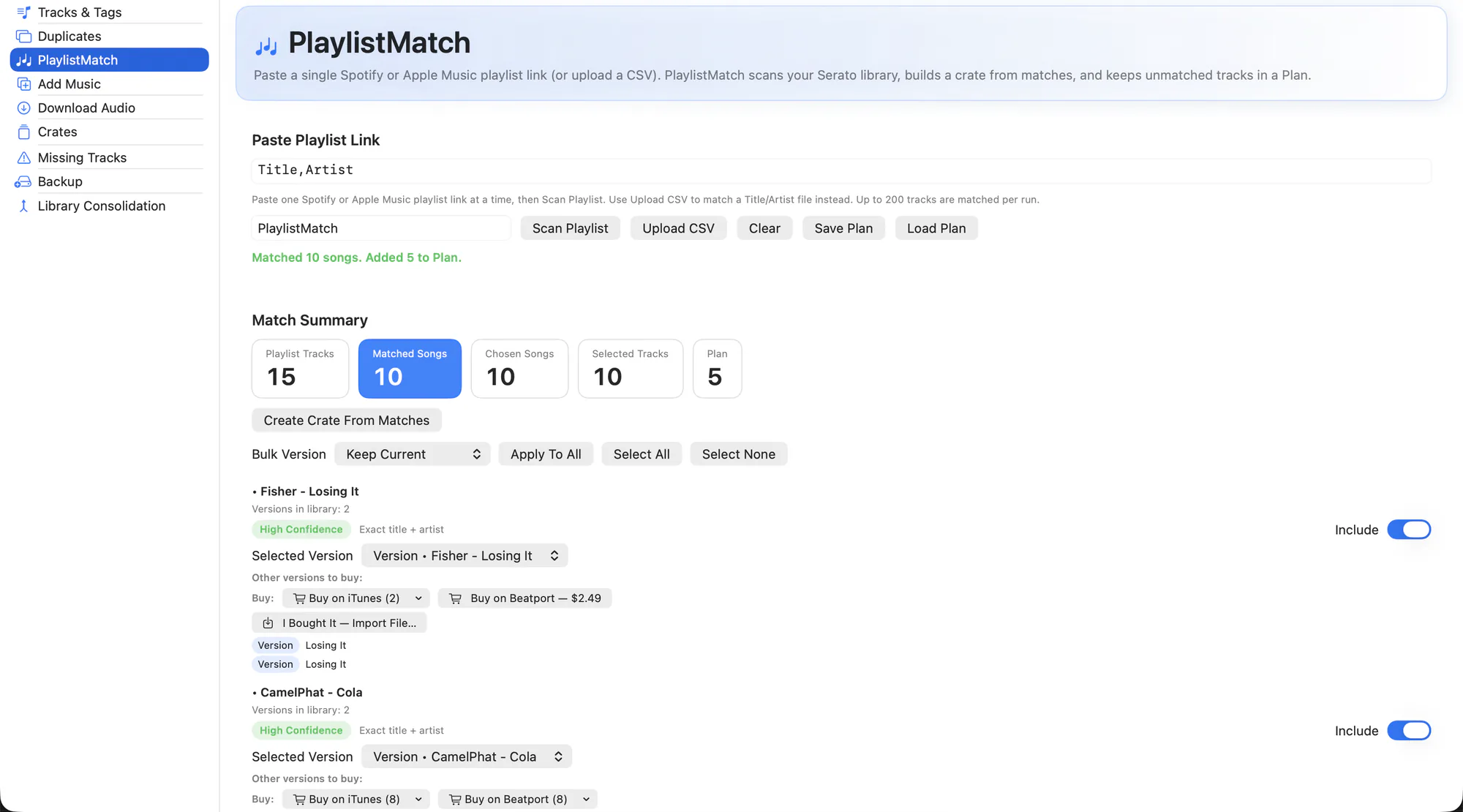
Paste a Spotify or Apple Music playlist and turn what you own into a crate.
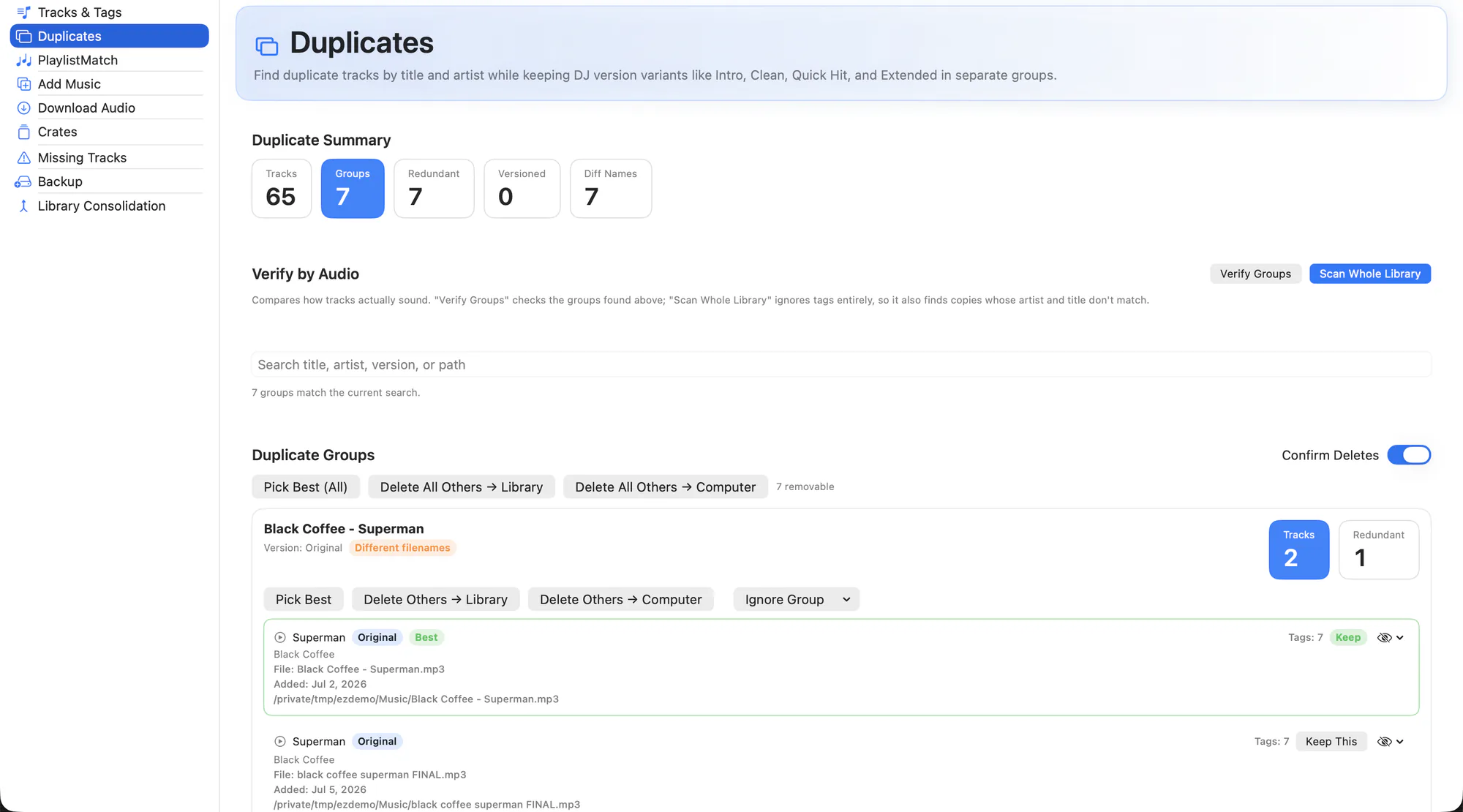
Grouped by audio fingerprint, scored for completeness, with a one-click keep-the-best.
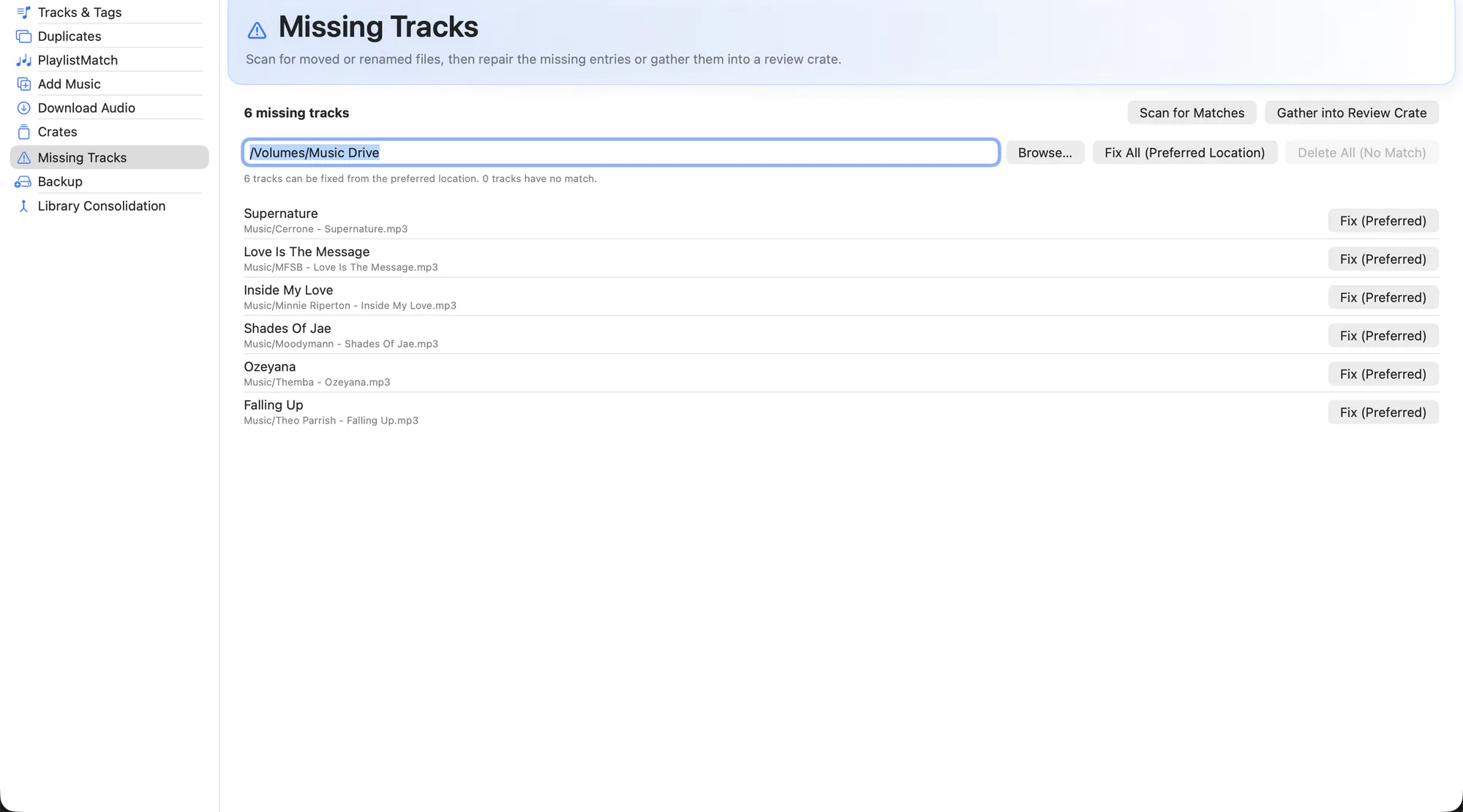
Every broken reference, with the likely new location found for you. Nothing is fixed without your say-so.
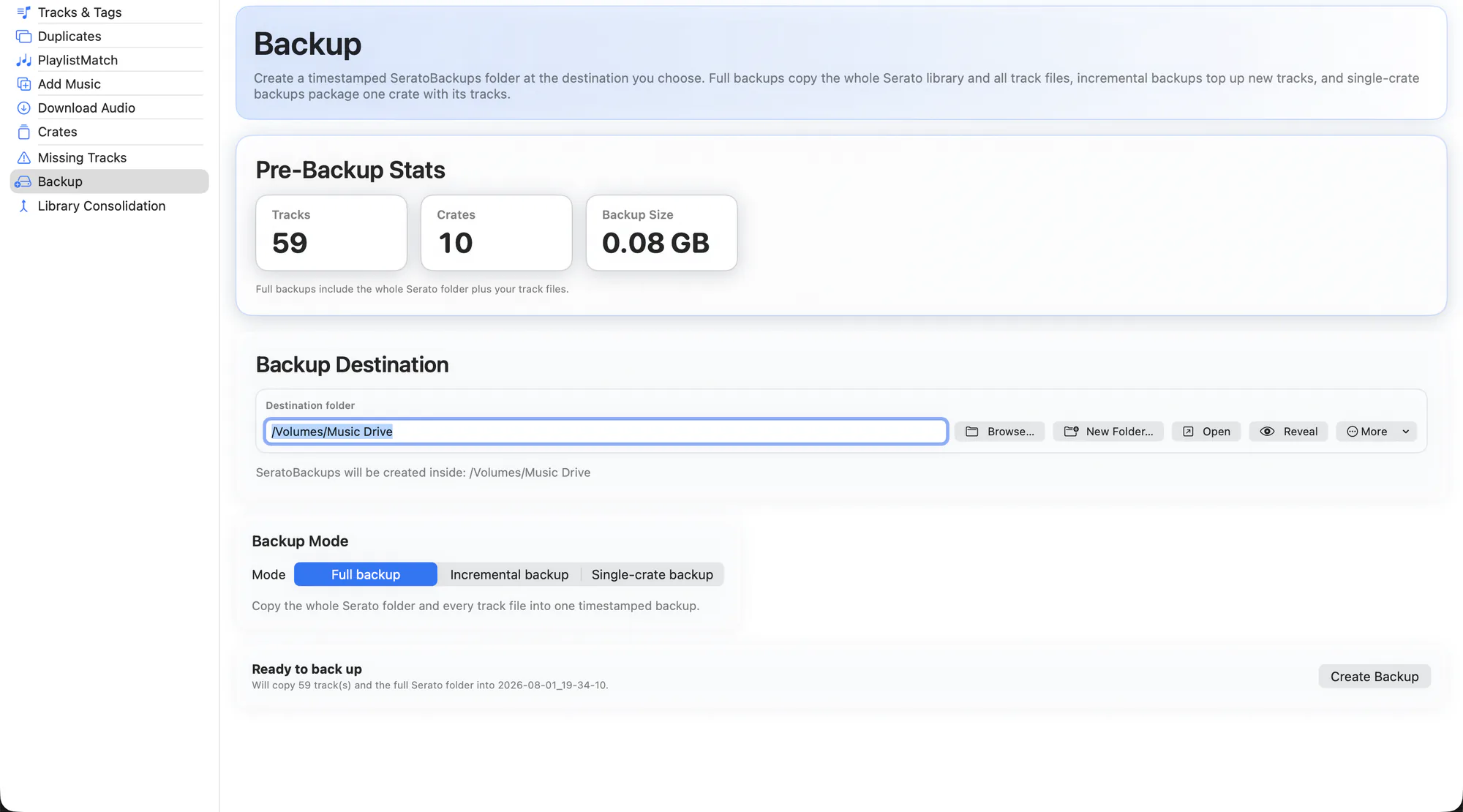
Timestamped snapshots — full, incremental or a single crate — sized before you commit.
Everything in the box
All of it free, all of it on your Mac. Nothing about your library leaves your computer.
Tracks & Tags
Browse the whole library, edit tags in place, look metadata up online, and bulk-fill thousands of fields with one action.
Tag Verification
Cross-check your tags against several music databases and AI, and only change what the evidence agrees on.
Audio Editor
Trim dead air, long intros and unwanted tails off a track — with no re-encode, so quality, tags and artwork survive.
Find Duplicates
Audio-fingerprint matching that catches the same song under different names — and knows an Extended Mix isn't a duplicate.
Missing Tracks
Find every broken reference in your library and relink it to where the file actually lives now.
Crates
Navigate regular and smart crates, inspect contents fast, and run crate-scoped operations across the app.
PlaylistMatch
Paste a Spotify, Apple Music or CSV playlist, match it against what you own, and buy or download the rest.
Add Music
Import files or whole folders, move or copy, and drop them straight into a dated crate — or from Finder with a right-click.
Library Consolidation
Pull music scattered across drives and folders into one place, rewriting every Serato path as it goes.
Backup
Timestamped snapshots of your library — full, incremental or a single crate — with the size shown before you start.
Rename From Tags
Give every file a consistent name from its tags, in bulk — and Serato keeps pointing at all of them.
It's your library. We treat it that way.
EZLibrary writes directly to the files Serato depends on. That's the only way to fix them — and it's exactly why every write path is built to fail safely rather than fail fast.
- A snapshot before every write. Every Serato file is copied to a timestamped backup before it's touched, whether you asked for a backup or not.
- Atomic writes. Files are written to a temp file and swapped into
place, so a crash or a full disk can't leave
database V2half-written. - Read-back verification. After a tag write, the file is re-read and checked. If it doesn't match, the change is rolled back.
- Refuses to run while Serato is open, because Serato overwrites the library from memory when it quits.
- No silent repairs. Missing-track fixes and duplicate deletions are always shown to you first and applied per-track, never guessed.
- Cues and beat grids are preserved through tag edits, renames and moves — that's the whole point.
Nothing phones home
Your library, your files and your paths never leave your Mac. The only network calls EZLibrary makes are ones you trigger: an online metadata lookup, a playlist you pasted, or the update check.
Open where it counts
The whole engine is GPLv3 on GitHub. You don't have to take any of this on trust — the parsers, writers and safety layer are all there to read, with the tests that cover them.
Not another abandoned DJ tool
There's been a wave of AI-generated DJ utilities shipped with no commit history, no tests, and no maintenance plan — several already abandoned. That's a real risk when a tool has write access to your entire library. Here's what you can go and verify.
Tested, not just tried
The parsing, writing and safety logic is covered by a real test suite that runs in CI on every push — including a byte-exact round-trip against a real 1,343-track library.
Actively maintained
Releases land roughly monthly, more often for fixes. The changelog says exactly what changed and when, and data-integrity bugs go to the front of the queue.
Independent
EZLibrary isn't affiliated with, endorsed by, or sponsored by Serato. It reads and writes Serato's file format for interoperability, nothing more.
Three minutes, start to finish
-
Download and install
Grab the installer and run it. It puts EZLibrary in Applications, then bootstraps its command-line helpers with Homebrew in the background so the tools can stay current.
-
Open it — it finds your library
EZLibrary looks for your
_Serato_folder automatically, including on external drives. Got more than one? Point it wherever you want in Settings. -
Take a backup, then start with Missing Tracks
Run a full backup once so you have a known-good snapshot. Then let Missing Tracks scan — for most libraries that's the biggest single win, and it's the safest place to see how the app behaves before you touch anything else.
Get your library back
Free, open source, and built by someone who got tired of hunting for missing files ten minutes before a set.